> For the complete documentation index, see [llms.txt](https://alliancecashbox.gitbook.io/alliancecashbox/llms.txt). Markdown versions of documentation pages are available by appending `.md` to page URLs; this page is available as [Markdown](https://alliancecashbox.gitbook.io/alliancecashbox/kabinet-administratora/perevipusk-pechatki.md).
# Перевипуск печатки
Щоб перевипустити печатку ФОП у кабінеті адміністратора, потрібно виконати такі дії:
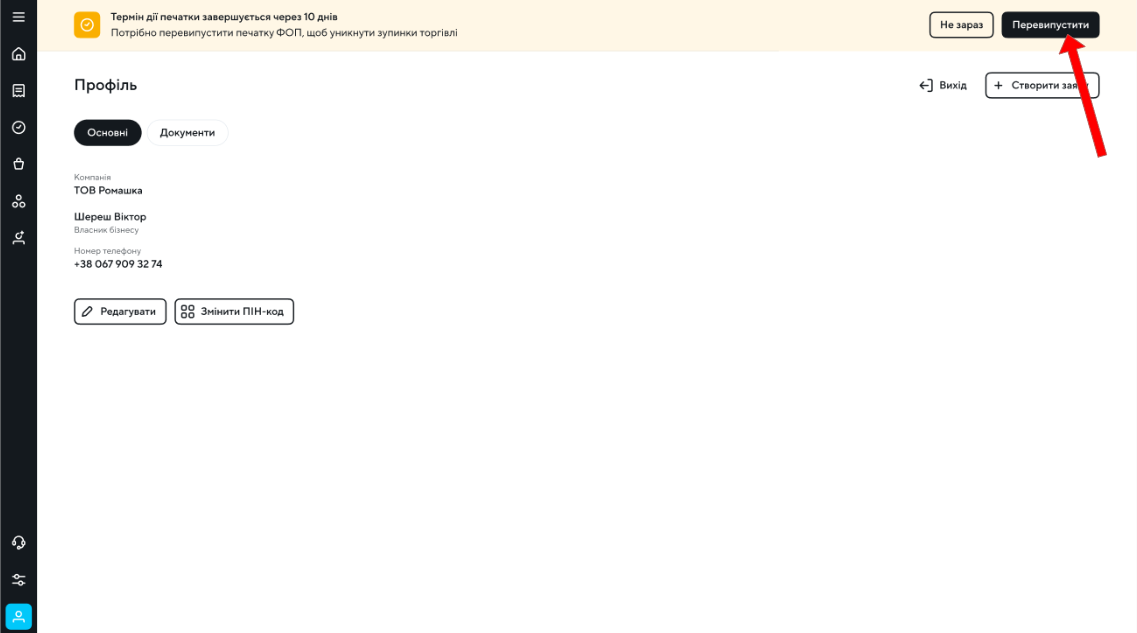
* На банері з інформацією про термін дії печатки треба натиснути на кнопку "Перевипустити".
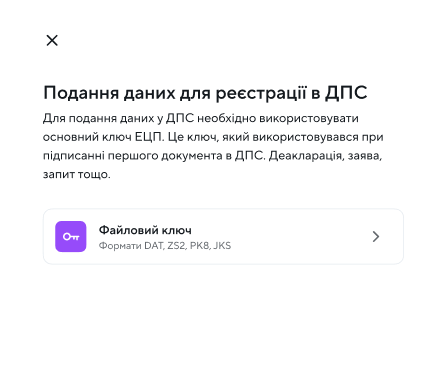
* Наступним кроком потрібно виконати підписання файловим КЕП-ом ФОП.
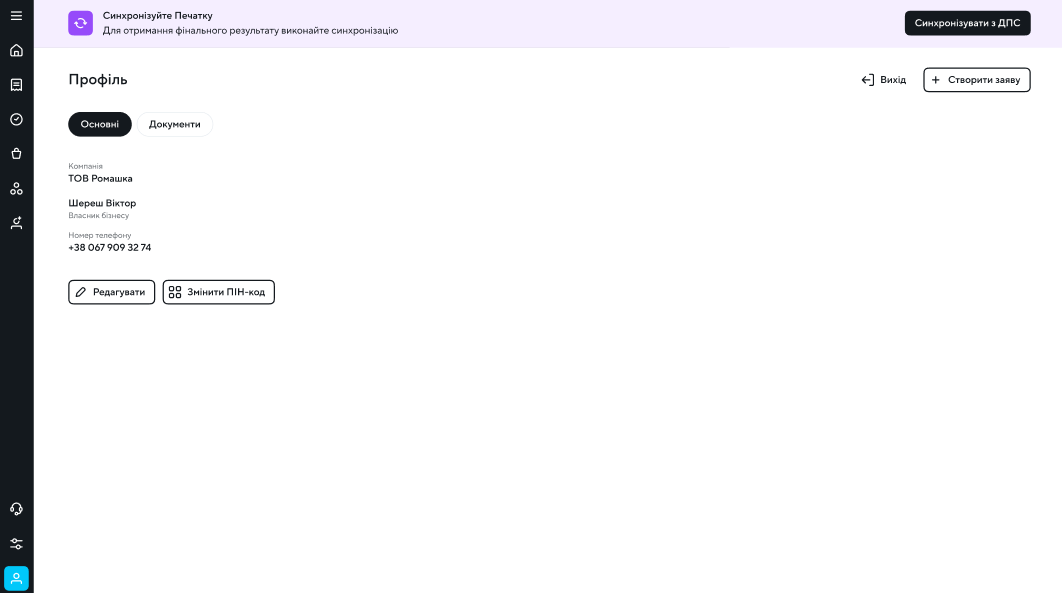
* Після того, як вам буде продемонстровано інформування про успішний перевипуск, на місці банера перевипуску з'явиться банер синхронізації.
* Потібно зачекати годину і виконати синхронізацію з ДПС. Для виконання синхронізації потрібно натиснути на кнопку "Синхронізувати з ДПС" і виконати підписання файловим КЕП.